
Claim Your Stellar Alchemy Tickets
Each Stellar Alchemy student performer has five (5) Stellar tickets! This page contains instructions for student performers to claim their tickets.
Please note:
:: Claiming tickets starts at 9:00 am on Friday, June 5, 2026.
:: Deadline to claim is 11:59 pm on Sunday, June 14, 2026.
:: Each student performer is allocated five (5) tickets, regardless of their number of performances.
:: Please take note of where you will be on stage, and choose seats where your guests can easily see you!
:: These tickets cannot be claimed in the Polecats Manila studio. Please claim them through the following steps:
1. Create an account on the https://ticket2me.net/ site. Under the Mobile Number field, please type your contact number in this format: +63XXXXXXXXXX. Verify your account through a link in your email.
If you already have a Ticket2Me account, you will no longer need to create a new one, but simply need to log in to your existing one. Please make sure you are logged in to your Ticket2me account before you claim your tickets.
2. Go to the specific Ticket2me link for Stellar Alchemy. This link is still hidden from the public for a few days, to give all of the student participants time to claim tickets for their guests. <ADD A LINK BUTTON>
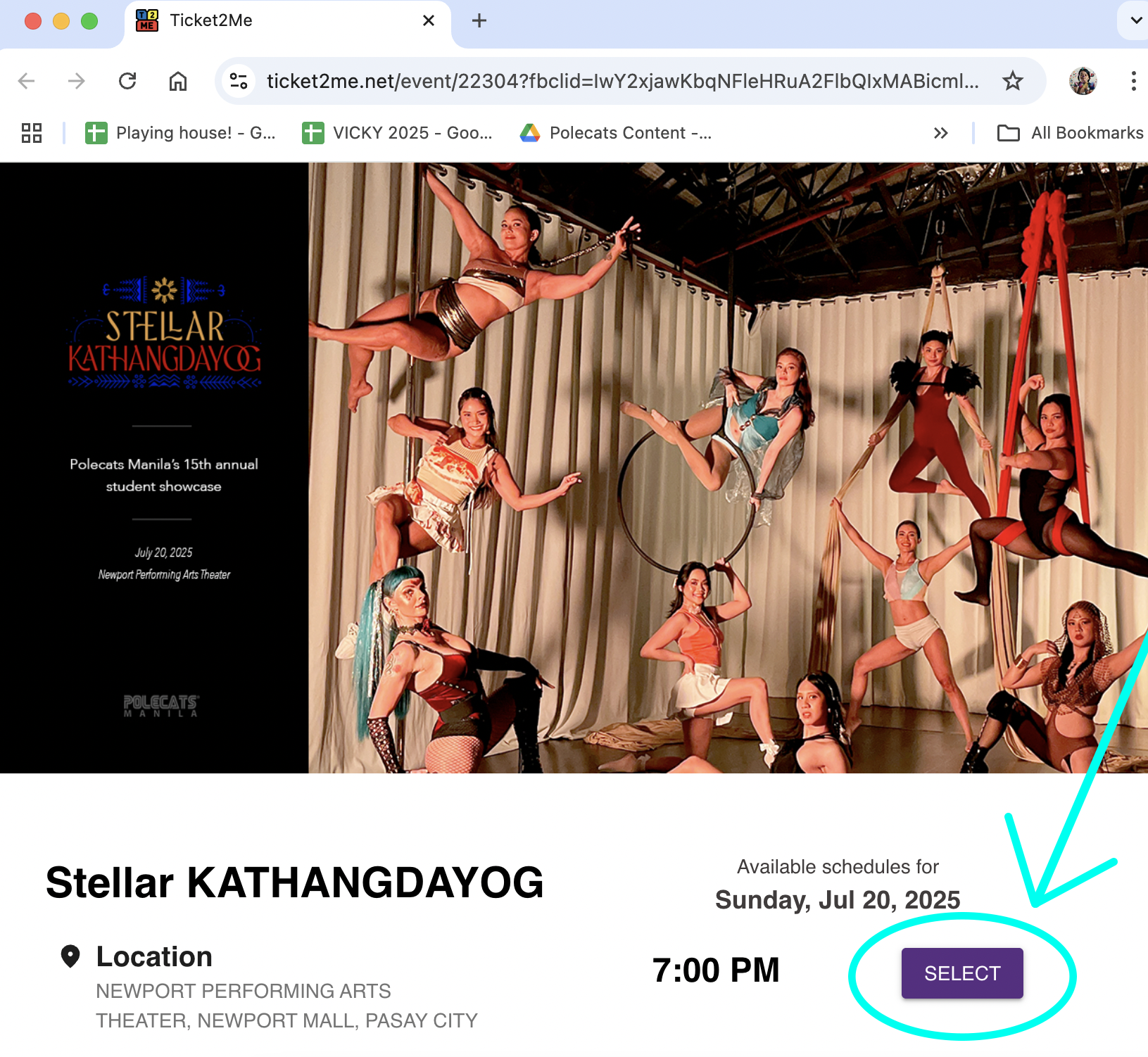
3. Click SELECT to see the seatplan for Newport Performing Arts Theater.
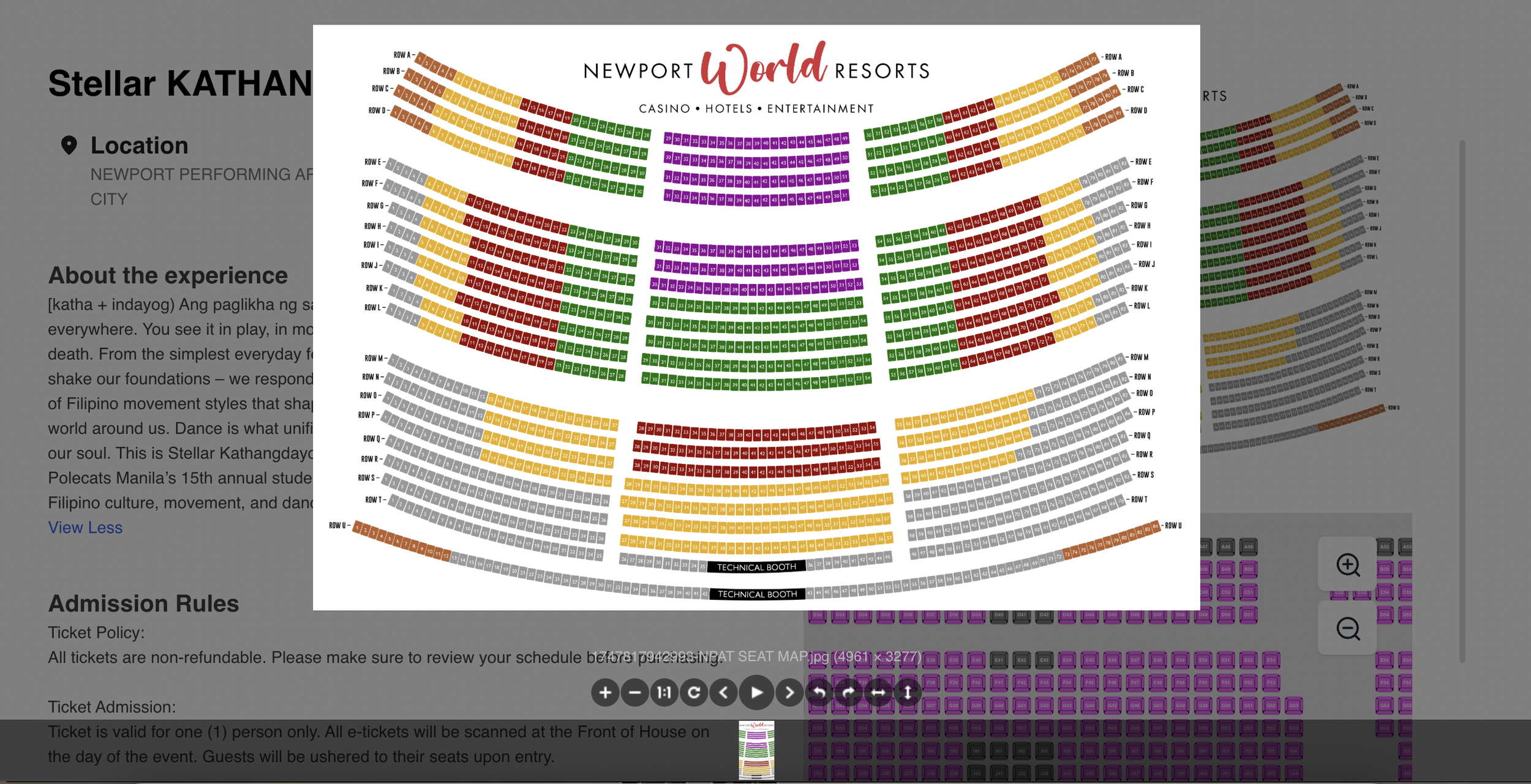
4. Choose the seats you want for your guests for Stellar. Choose up to five (5) tickets that are part of your Stellar package. In selecting tickets for the show, you may opt for seats that are separated from each other, but please do not leave a gap of one seat between your chosen seats and other seats.
Note: You have ten (10) minutes from when you choose tickets to move on to the next step in the transaction. If you take more than this allotted time, the seats you chose will be given up to others. Also, all seats chosen after this step, are FINAL. They cannot be changed once this order is complete.

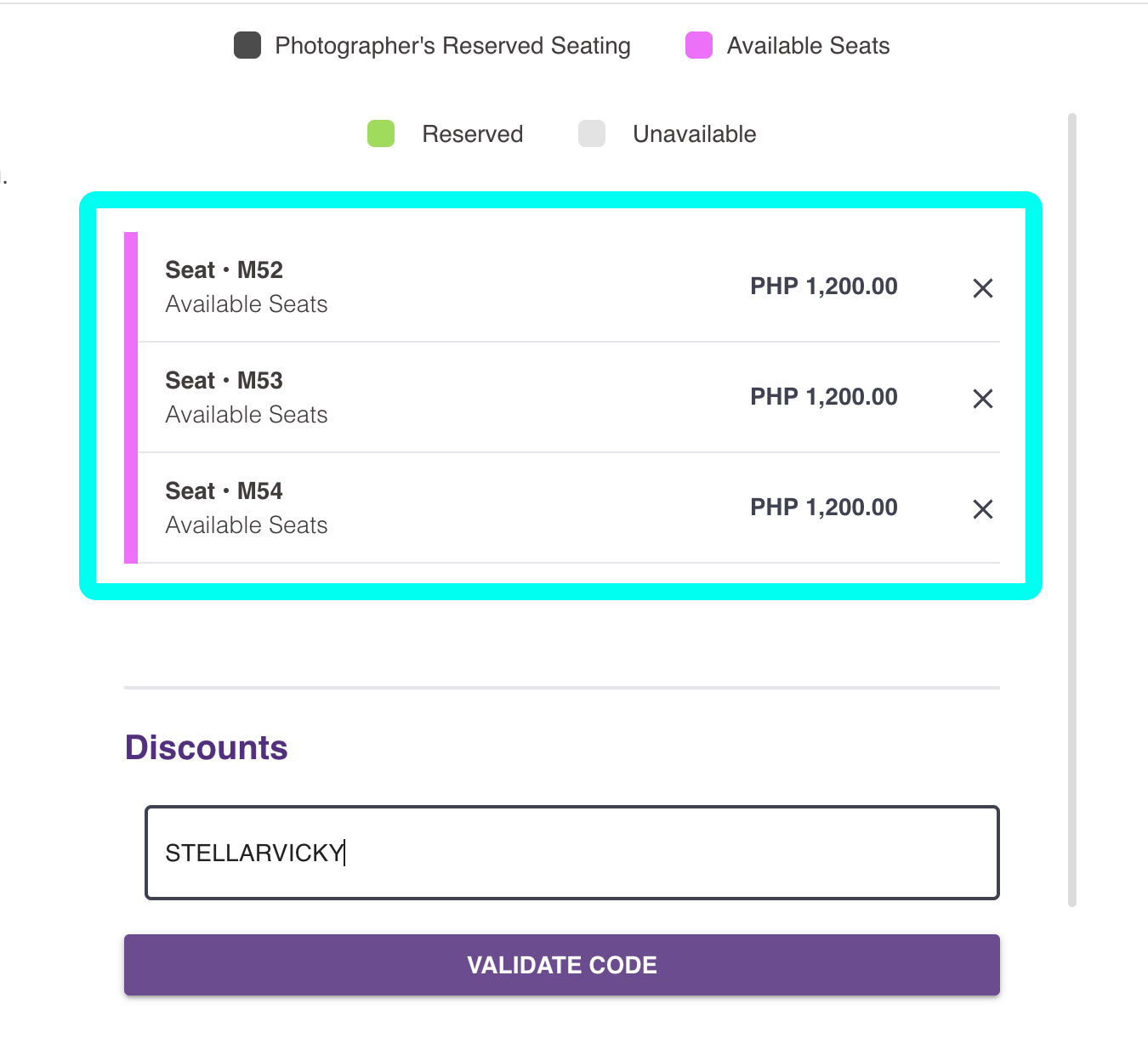
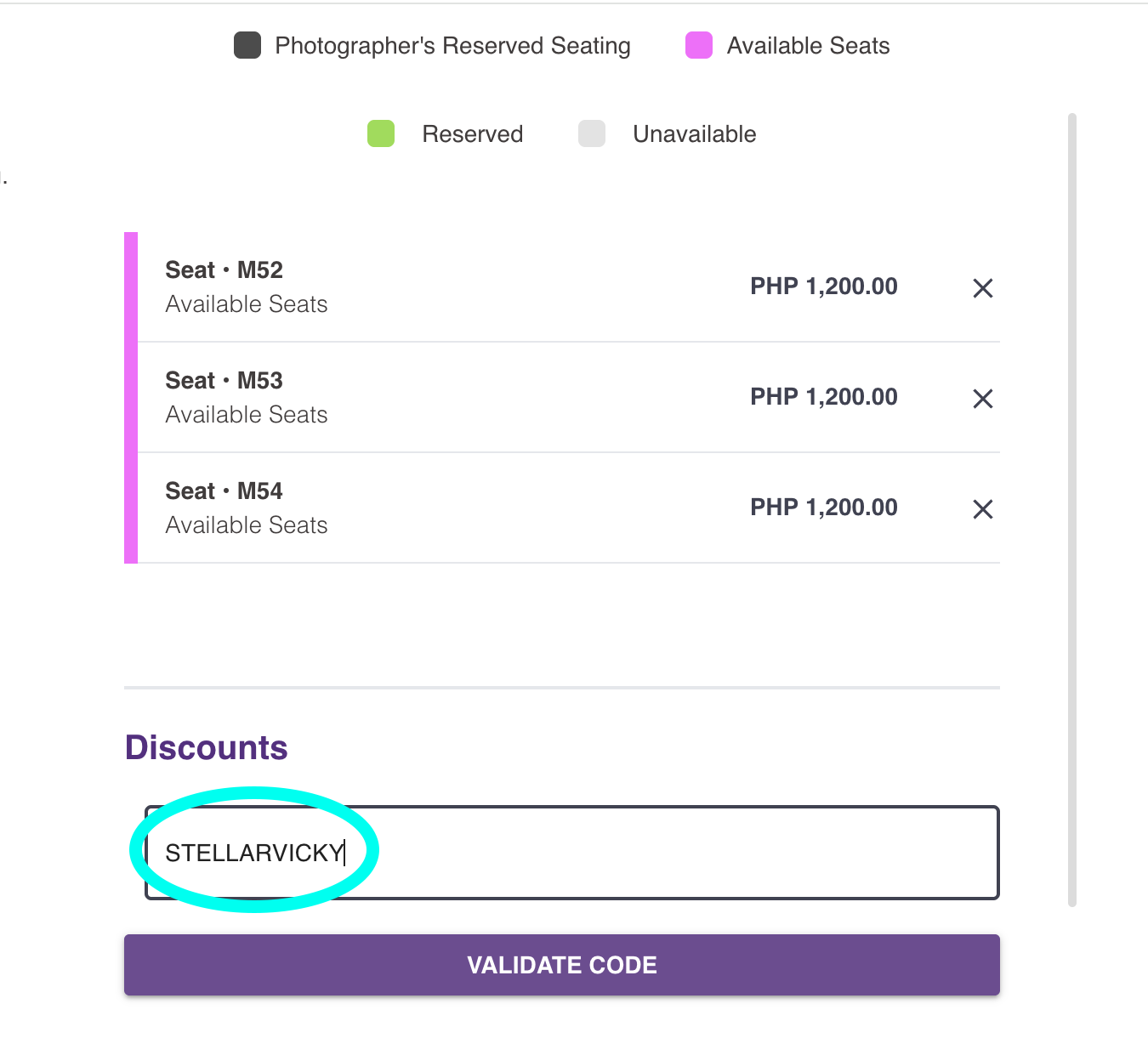
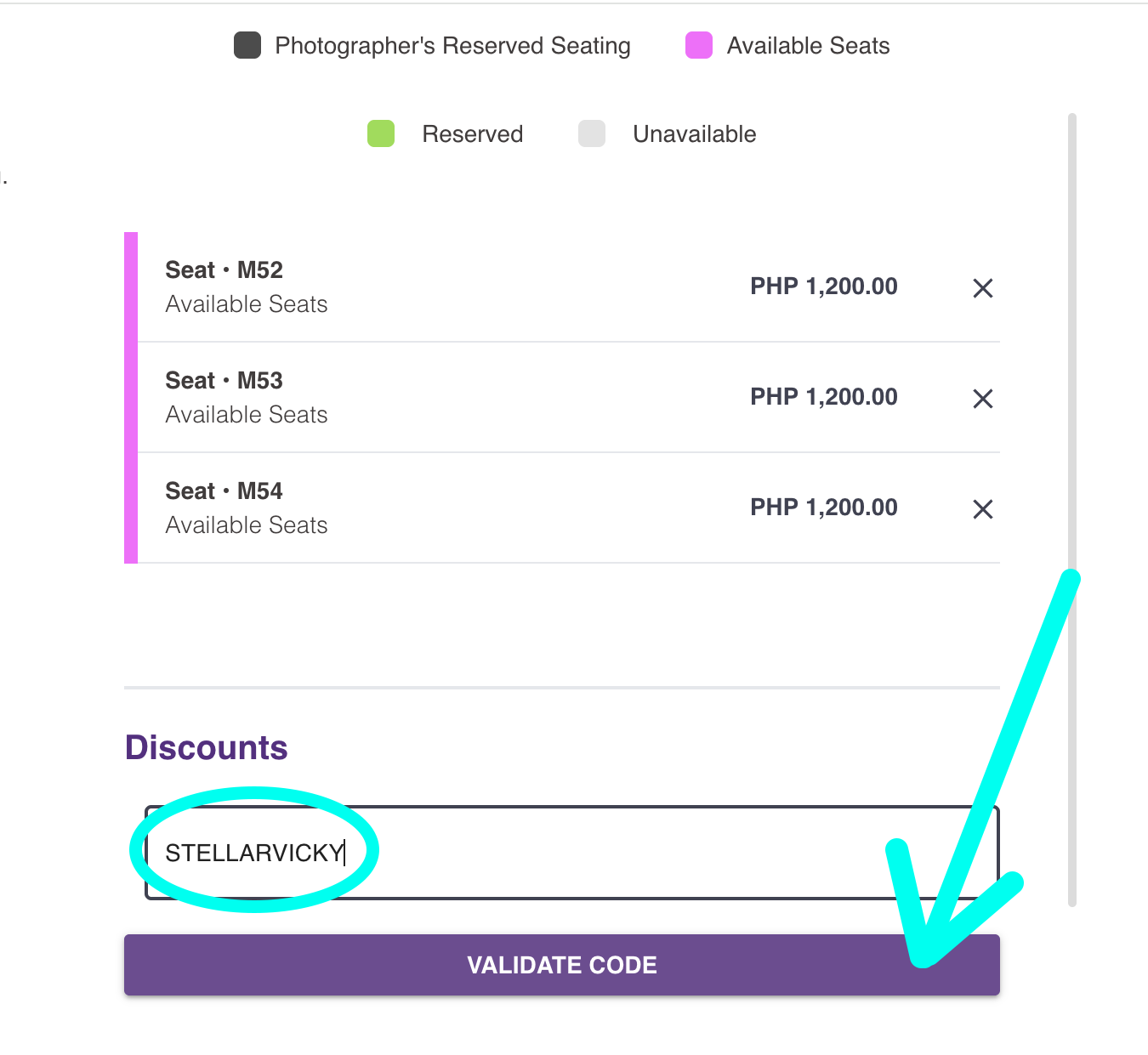
5. Input your specific promo code for Stellar Alchemy. This is case sensitive, so please type exactly what we sent you. The promo code can only be used ONCE, so please claim all your five (5) tickets in one transaction. Again, they don’t have to be all together, but they must be claimed in one transaction.
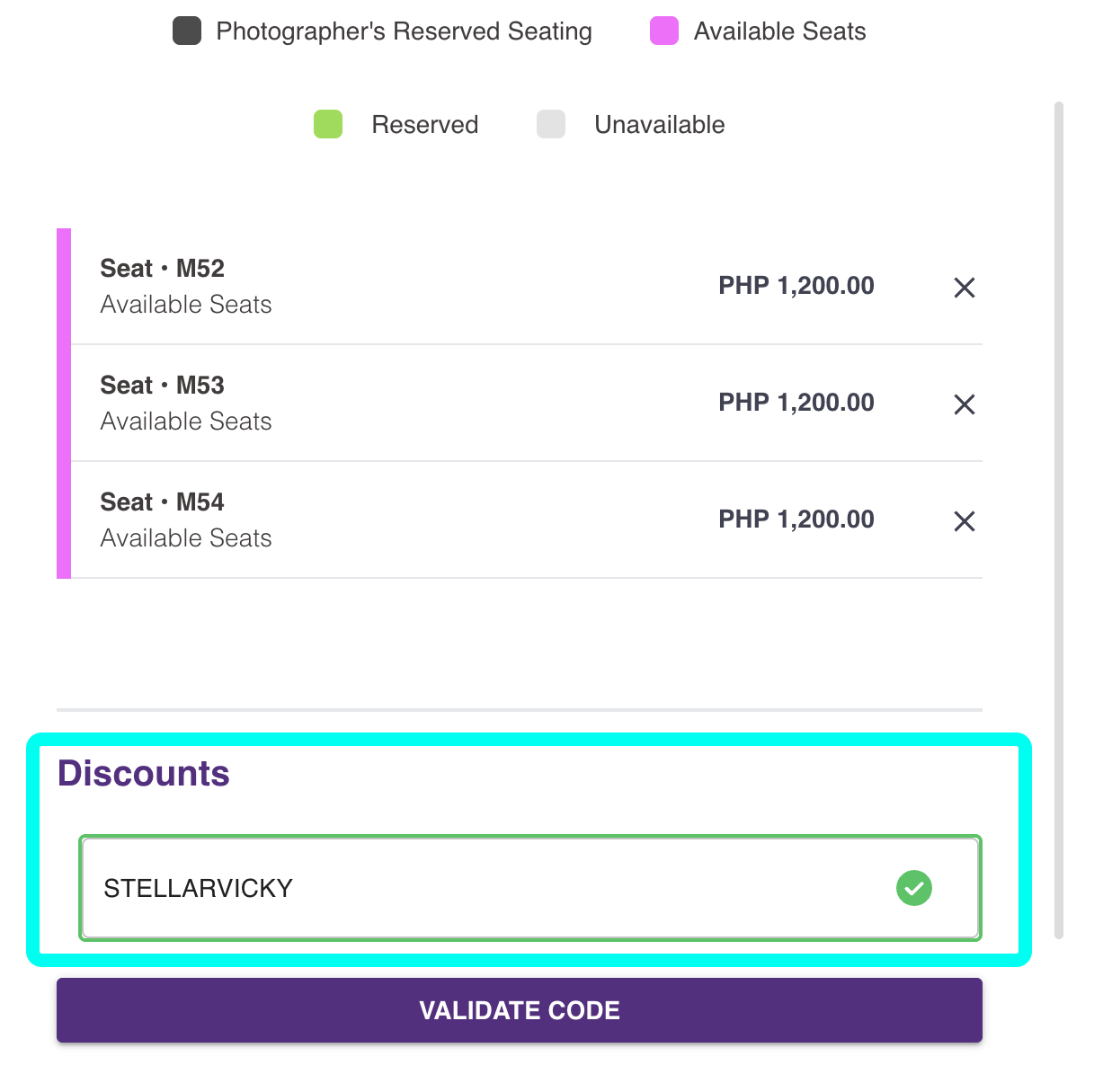
Wait for the Discounts box border to turn green with a check. This means the code has been verified used.
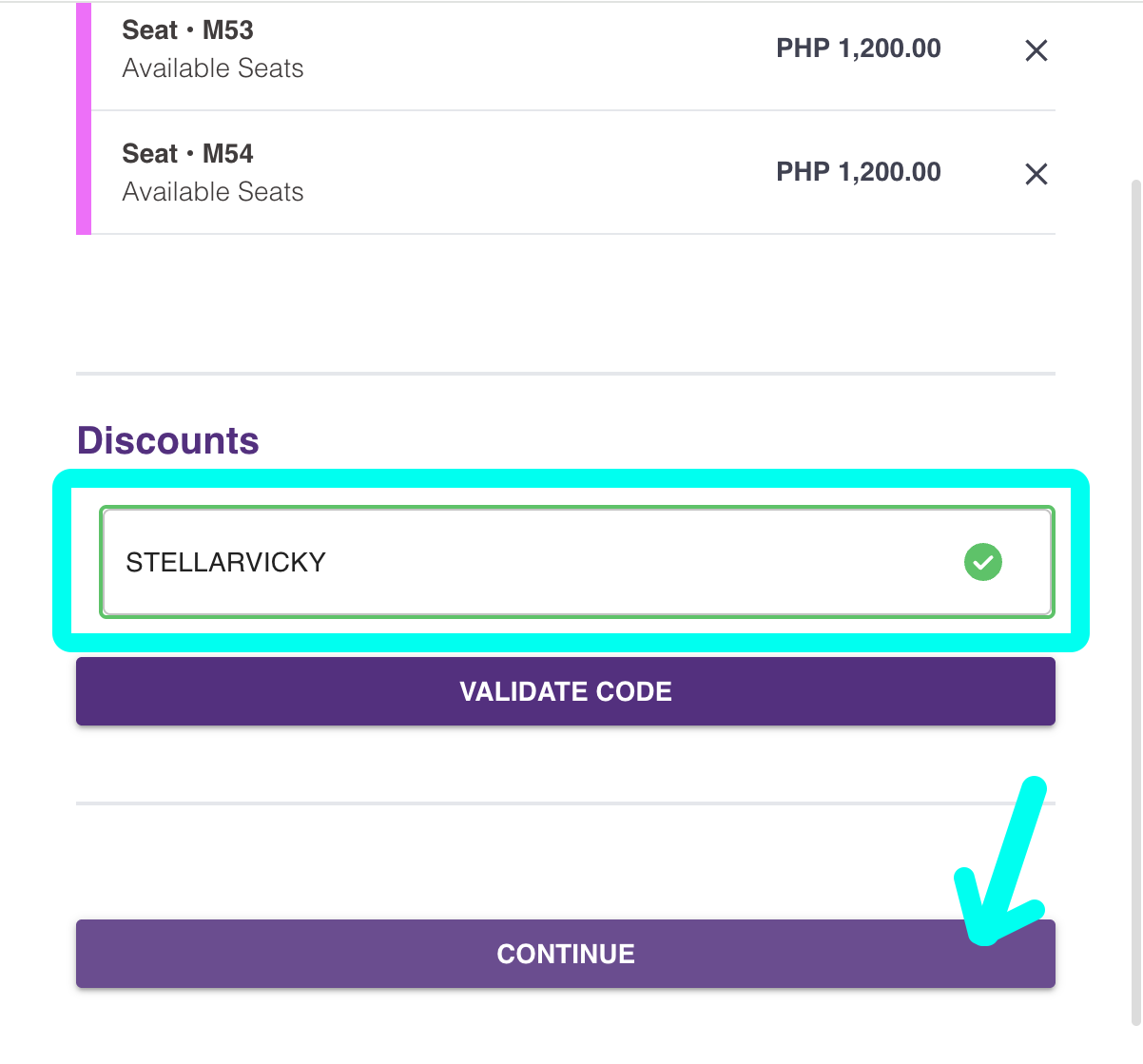
After this green box has appeared, you can click CONTINUE at the bottom of the page. Please click CONTINUE only once and wait until the next page appears. This may take some time especially if a lot of people are booking seats at the same time. But please wait for the next page to load and do not refresh.
Troubleshooting tips:
After clicking CONTINUE, and an error message appears [We are unable to.process your requests now, please refresh] - DO NOT REFRESH the page. Please wait a few more minutes and it may proceed to the next page successfully.
If the next page does not appear no matter how long you have waited, we will issue a new code and we can try again. This scenario will consider your code used and the tickets you chose to be “reserved.” You can either choose new seats or wait 30 minutes to 1 hour for the system to let go of the seats on reserve. Please reply to our email of instructions to ask for a new code and we will get back to you ASAP.
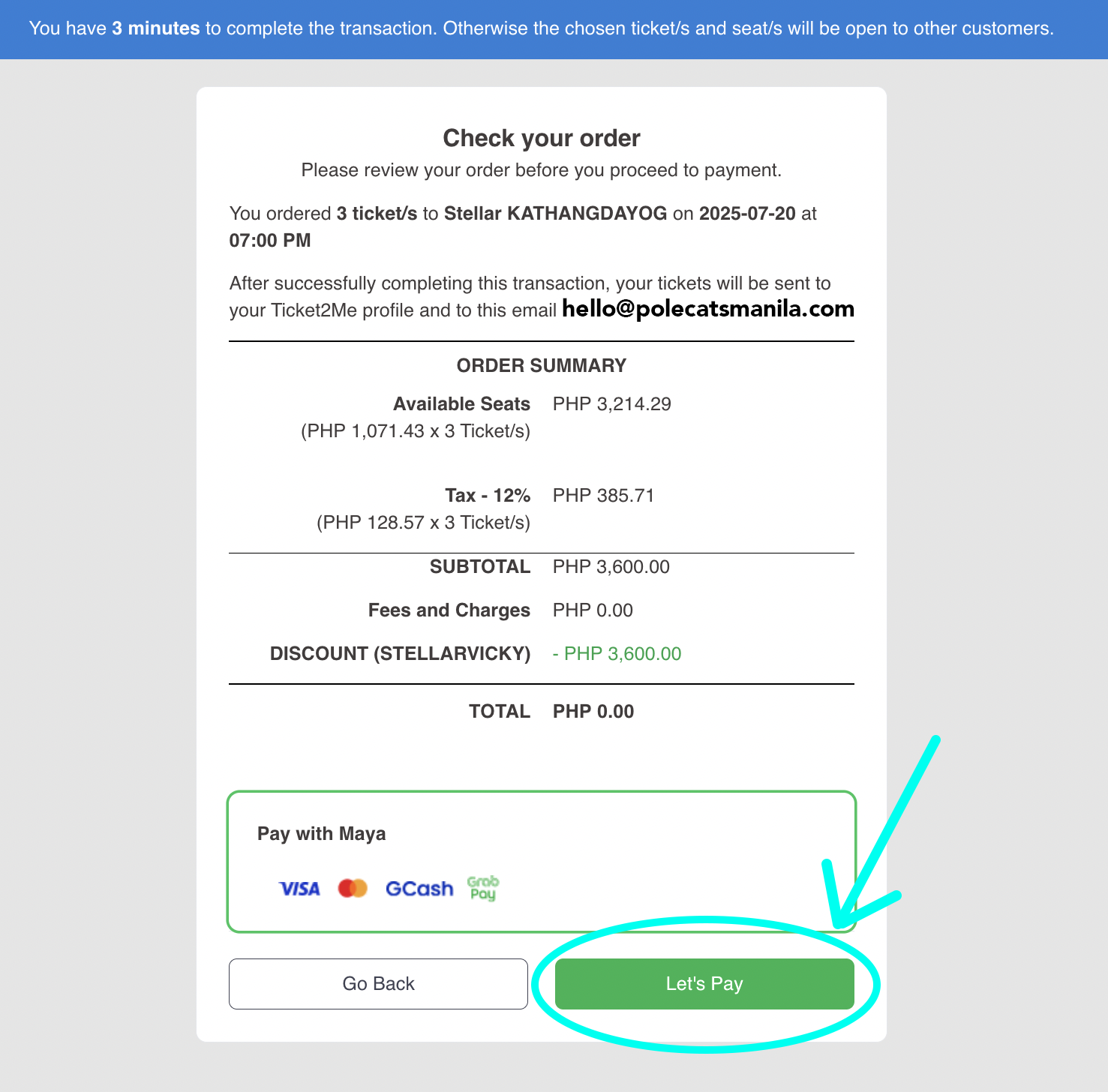
6. You will be prompted to CHECK YOUR ORDER. If all details are correct, click LET’S PAY. Three (3) minutes are allotted for you to finish checking and payment.
Note: If at any point, you click GO BACK, without having finished the transaction, your seats will not be available for choosing again. They will be marked reserved for some time, and can be chosen again in a few hours. Please be very sure when you’ve reached this stage in the order, as your promo code can be used only once.
7. ORDER IS COMPLETE! You can view your tickets right away. After a few minutes, they will also be sent to your email.
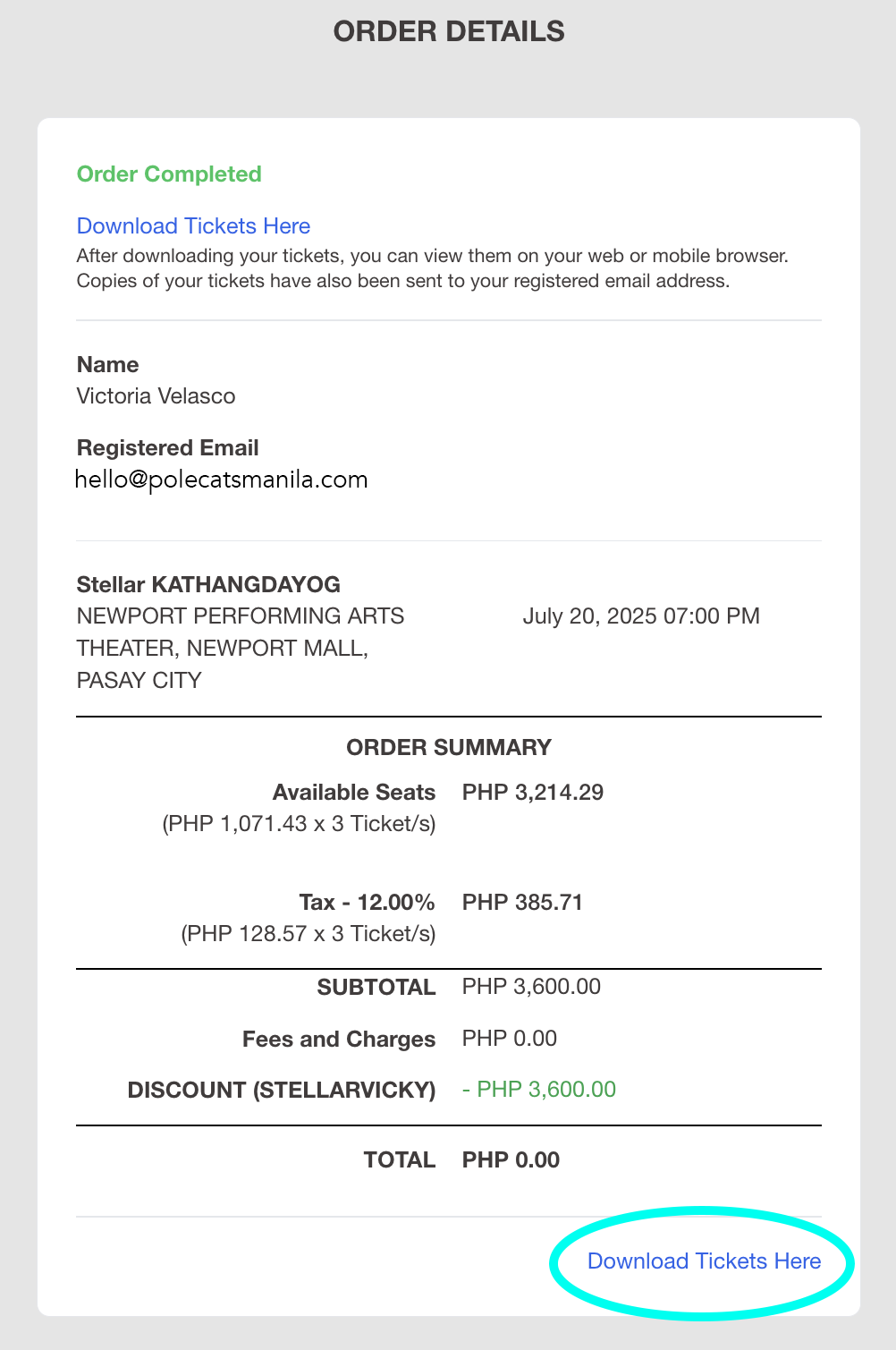
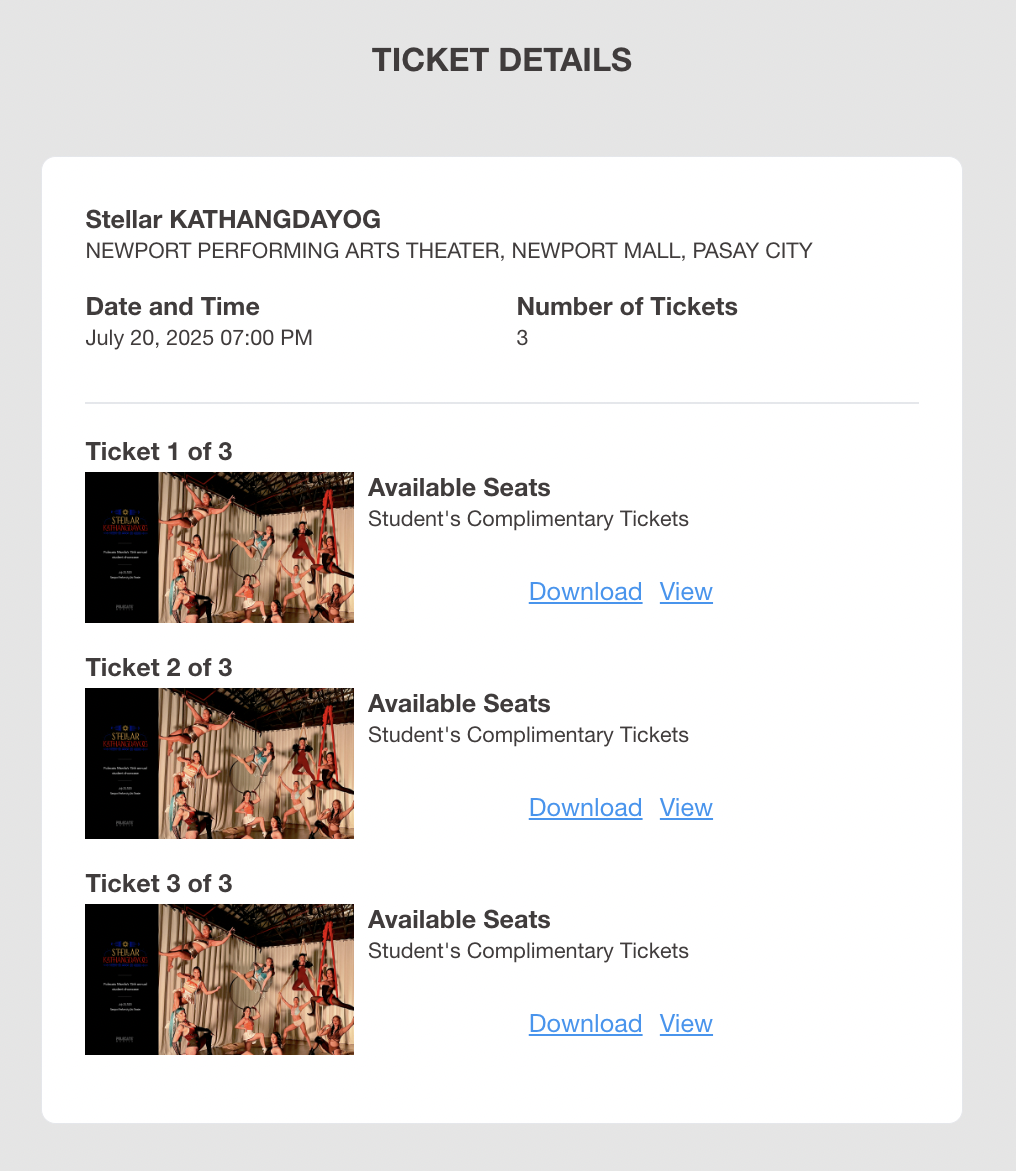
8. Send the tickets to your respective guests. You will receive all tickets in one email, but please make sure to send the right tickets to the corresponding guests. A ticket code can be scanned only once. Should another guest mistakenly use the same code, they will be unable to enter the venue. Please also make sure to send to your guests before Stellar day, as cellular data in the venue is not reliable. Lastly, there will be no physical/printed tickets for the event. The electronic tickets you receive in your email will be sufficient to enter the event.
9. Deadline for student participants to claim their five (5) complimentary tickets (part of the Stellar package) is 11:59 pm Sunday, June 14, 2026. After this day, we will be opening to the rest of ticket purchasing to the public! Student Promo Codes are also eligible up to this deadline only.
10. Before the June 14 deadline, please DO NOT purchase tickets yet, as this link allows for purchase as well. Please only claim the five (5) complimentary tickets per performer. Let’s give our fellow performers time to claim their tickets first, so everyone can have a chance for their loved ones to have good seats and to have a good view of them on stage. We will start selling tickets after the deadline for claiming.